I got a very helpful bug report the other day (thanks Kilian!) about the <details> element in a blog post of mine not showing the default ▶ icon, and thus looking rather like any ol’ random <p>.

It wasn’t terribly hard to diagnose. I just opened the page in Firefox, inspected the element in Firefox DevTools, and played with properties and values until I saw the ▶ come back. The problem? I was using a (very old) copy of Normalize.css, which must have followed me through several redesigns on this site, and set…
summary {
  display: block; /* the problem */
}
If you do that, Firefox nukes the ▶:
Way back in 2016, this was fixed by Jon Neal in Normalize:
summary {
  display: list-item;
}
In Chrome, the User Agent style for <summary> is block, so no problem with setting it to block. But in Firefox, best I can tell, the User Agent style is list-item.

Hence Jon setting it to list-item in the current version of Normalize.
You can also see in the Firefox DevTools that the ▶ is applied with a ::marker pseudo element. As soon as <summary> isn’t a list-item anymore, the ::marker disappears. I guess that makes some sense, as the spec says:
The ::marker pseudo-element represents the automatically generated marker box of a list item.
So the fact that ::marker works on block-level items in Chrome might be the bug? I dunno, but I kinda like having ::marker work on other things. As Šime Vidas once pointed out, it’s rather nice.
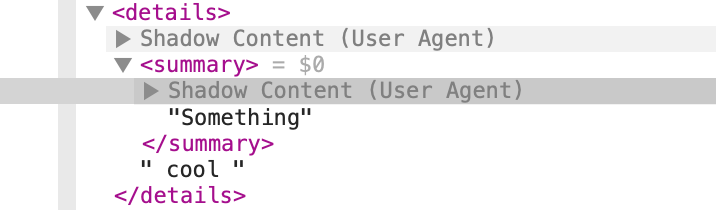
In Safari, there is no problem, as apparently the ▶ comes from “Shadow Content”???
Anyway, the Normalize idea of just forcing them to be list-item seems fine (or just don’t touch them at all).